
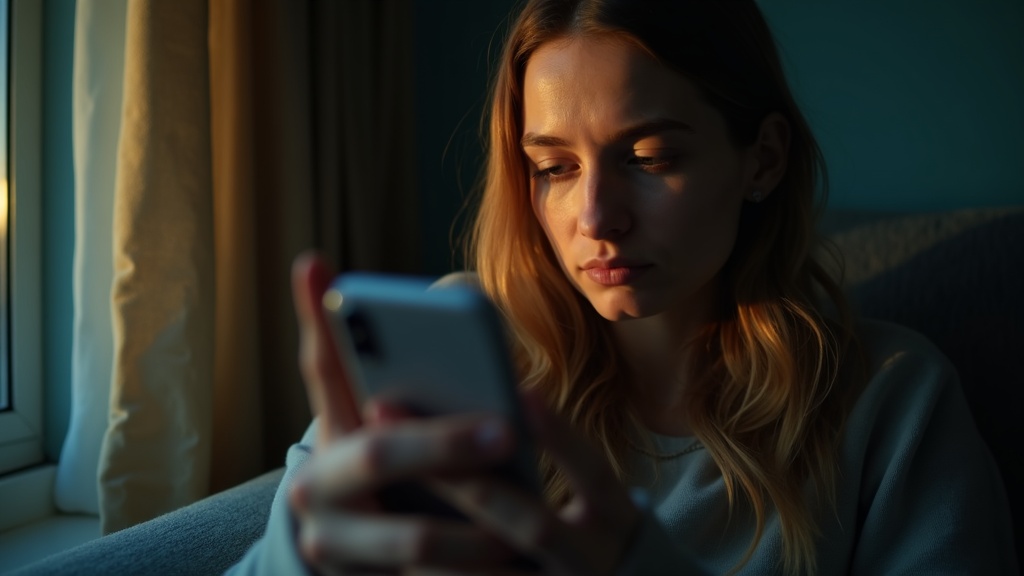
Your text messages are probably less private than you think. Not because hackers are breaking into your phone, but because of small everyday things you might not even notice.
Maybe your messages pop up on your lock screen where anyone nearby can read them. Maybe you leave your phone on the kitchen counter where your roommate, partner, or kids can see your notifications. Maybe you’re logged into your messages on an old tablet you gave to someone else.
These aren’t dramatic security breaches. They’re just normal life. But they’re also how most text message privacy actually gets lost.
The good news is that protecting your messages doesn’t require any technical expertise. You don’t need to become a cybersecurity expert or memorize complicated settings. Most of the time, it’s about changing a few simple habits and adjusting some basic options on your phone.
Think of it like locking your front door. You’re not preparing for a sophisticated break-in. You’re just making sure that casual snooping takes more effort than it’s worth. That’s usually enough.
In this guide, we’ll walk through the practical steps anyone can take to keep their text messages more private. We’ll focus on the everyday vulnerabilities that actually matter and skip the technical stuff that doesn’t. By the end, you’ll know exactly how to stop your messages from being an open book to everyone around you.
Stop leaking texts through notification previews
Your phone might be locked, but your messages probably aren’t. Every time a text arrives, most phones flash the sender’s name and a chunk of the message right on your lock screen. Anyone standing near you can read it. No password required.
This isn’t a hack or a security flaw. It’s the default setting on nearly every smartphone. The idea is convenience: you can see who texted and what they said without unlocking anything. But that convenience comes at a cost. Bank codes, private conversations, work messages, and personal details all show up for anyone nearby to see.
Think about where your phone spends time. On your desk at work. Charging on a table at a coffee shop. Face-up on the dinner table. In your hand on the subway. Every notification is a tiny billboard advertising your private life to whoever happens to glance over.
The good news is you can change this without losing notifications entirely. Both iPhone and Android let you hide the actual message content while still showing that something arrived. You can set your phone to display just the app name, or show that you have a notification without revealing any details at all.
You don’t need to be a spy to care about this. Maybe you don’t want coworkers seeing texts from your doctor. Maybe you don’t want family members reading messages meant for you alone. Maybe you just don’t want strangers on the bus knowing your business. Whatever the reason, turning off message previews is one of the simplest ways to protect your text message privacy. Look for settings like “show previews” or “notification content” in your phone’s privacy or notification settings.
Make the lock screen and unlock method do real work
The easiest way for someone to read your messages is to pick up your phone while it’s unlocked or grab it before it locks. That means your lock screen is actually your first line of defense for text message privacy.
A six-digit passcode is noticeably better than a four-digit PIN. It’s not about stopping sophisticated hackers. It’s about making sure someone can’t guess their way in after a few tries. If you’re in a situation where you’re extra concerned about privacy, consider using an even longer alphanumeric password temporarily.
Face unlock and fingerprint sensors are convenient and generally secure for everyday use. They keep most casual snoopers out without making you type every time. But they do have a weakness: someone can potentially unlock your phone while you’re asleep, distracted, or under pressure. If that’s a concern in your situation, stick with a passcode only.
Set your phone to lock quickly when you’re not using it. Thirty seconds is reasonable for most people. A five-minute delay leaves your messages exposed every time you set your phone down. You should also turn off the option to reply to messages directly from the lock screen if you want real privacy. Same goes for voice assistants that can read notifications aloud without unlocking.
Simple physical habits matter too. Keep your phone with you in shared spaces rather than leaving it on a table. When you do set it down, place it screen-side down. If someone walks by, they can’t casually glance at notifications. These aren’t paranoid moves. They’re just practical boundaries that take zero effort once they become routine.
Check the messaging app privacy settings you already use
Your messaging app is probably sharing more than you realize. Most apps come with features turned on by default that broadcast information you might prefer to keep private. The good news is that you can dial most of this back without losing anything important.
Read receipts tell people when you’ve seen their message. Typing indicators show that little animation while you’re composing a reply. Both seem harmless until you’re in a situation where you don’t want someone to know you’ve read their message or that you’re carefully crafting a response. Turning these off gives you breathing room to respond on your own schedule without the silent pressure of being visibly present.
Online status and last seen timestamps are similar culprits. They tell contacts exactly when you’re active and when you were last using the app. For acquaintances, work contacts, or people you’re not close to, this can feel invasive. It also creates awkward situations when someone knows you’re online but you haven’t replied to them yet.
Profile photo visibility and who can add you to groups matter more than most people think. If your photo is visible to everyone, strangers with your number can see your face. Group chat additions can pull you into conversations you never agreed to join, often with people you barely know. Restricting both to contacts only keeps your presence more contained.
Link previews are sneakier. When you send a link, your app often generates a thumbnail and description by contacting that website. This can reveal that you clicked on something before you even send the message. Some apps let you disable automatic previews, giving you more control over what gets shared and when.
Understand what message encryption does and doesn’t protect
When people talk about message encryption, they mean your messages get scrambled while they travel from your phone to someone else’s. Think of it like putting a letter in a locked box that only the recipient can open. Anyone who tries to peek at your message while it’s in transit just sees gibberish.
Regular text messages, the kind that come through your phone’s default SMS system, don’t get this protection. They travel more like postcards. Your phone company can read them, and someone with the right access along the way could too. Encrypted messaging apps scramble everything automatically, so outsiders can’t make sense of what you’re sending.
Here’s the catch: encryption only protects messages while they’re traveling. It doesn’t stop someone from reading your texts if they can physically access your unlocked phone. It won’t hide notifications that pop up on your lock screen. And it can’t prevent someone from taking a screenshot of your conversation and sharing it.
There are other weak spots too. If your messages get backed up to a cloud service, those backups might not be encrypted the same way. If you’ve linked your messaging app to a tablet or computer, those devices become additional places someone could access your conversations. Message previews that show up in notifications can leak private information even when your phone is locked.
The bottom line is this: encryption is powerful protection against remote snooping, but it’s not a complete privacy solution. You still need to think about who has physical access to your devices and how your apps are configured.
Look for other places your texts might be showing up
Your texts might be appearing in places you’ve completely forgotten about. That tablet you set up two years ago? It could still be receiving every message. The laptop you used once to check texts through a web app? Probably still logged in.
This is one of the sneakiest ways private texting fails. You didn’t get hacked. You just turned on a convenient feature and never turned it off.
Think about everywhere you’ve ever paired or signed into your messaging accounts. Your smartwatch shows message previews. Your car display reads texts aloud through Bluetooth. Your work computer might have a messaging app running in the background. Even that old phone sitting in a drawer could still be syncing if it’s connected to wifi.
Family tablets are particularly tricky. If you signed into your messaging app so you could text from the couch, anyone picking up that tablet can now read everything. The same goes for shared computers or devices you’ve lent to someone temporarily.
Start by reviewing your connected devices. Most messaging apps have a setting that shows everywhere you’re currently logged in. Look for sessions you don’t recognize or devices you no longer use. Sign out of anything that shouldn’t be there.
Check your Bluetooth connections too. Go through paired devices on your phone and remove anything outdated. That rental car from your vacation three months ago? Your messages might still pop up there when the next driver connects their phone.
The goal isn’t paranoia. It’s just awareness. Convenience features are designed to make your life easier, but they can quietly expose your messages long after you’ve moved on to something else.
Decide what happens to your texts in backups and the cloud
When you send a private text, you probably think about who can see it on their phone. But there’s another place your messages might end up: floating around in backups and cloud storage. Your phone likely copies your texts to the cloud automatically, and you might not even realize it’s happening.
These backups aren’t just abstract copies. They’re real files stored on company servers, and they often include your full message history, photos you’ve shared, and even voice messages. If someone gets into your cloud account, they can read everything. That could be a partner with your login details, a friend you once shared an account with, or even someone who figures out your password recovery questions.
Old backups create risks too. Maybe you sold an old phone, or a family member restored one from an ancient backup you forgot about. Suddenly your private conversations from years ago are accessible again.
You have choices here. Most phones let you turn off message backups entirely, though that means losing your chat history if your phone breaks. A middle ground is backing up messages but keeping those attachments from auto-saving to your main photo gallery, where they’re easier to stumble across.
Whatever you choose, lock down your cloud account itself. Use a strong password that’s different from your other accounts, and turn on two-step verification if it’s available. That’s the feature that asks for a code from your phone before letting anyone sign in. It’s not foolproof, but it makes unauthorized access much harder.
Use small habits that prevent accidental exposure
Most privacy leaks don’t happen through hacking. They happen when someone glances at your screen while you’re texting on the train, or when a message pops up while you’re showing a friend a photo. These everyday moments add up.
The simplest fix is building a quick habit: before you hand your phone to anyone, tap the home button or switch to a neutral screen. It takes one second and saves you from that awkward moment when a personal message appears while someone else is holding your device. You’re not being secretive, just sensible.
Notification previews are another common culprit. When your phone lights up with a full message on the lock screen, anyone nearby can read it. You can change this in your privacy settings so notifications show a sender’s name without displaying the actual message. You’ll still know when something arrives, but the content stays hidden until you unlock your phone.
If you’re presenting your screen in a meeting or casting to a TV at home, turn on Do Not Disturb mode first. Messages that seem harmless in private can feel different when projected on a large screen in front of colleagues or family. A quick swipe to enable that mode prevents surprise interruptions.
Privacy screens are worth mentioning too. These are thin filters that make your screen only visible when you’re looking straight at it. Anyone at an angle just sees darkness. They’re inexpensive and helpful if you often work in cafes or commute on crowded transit.
None of these habits require new apps or complicated setup. They’re just small adjustments that close the gaps where messages accidentally become visible to people you didn’t mean to share them with.





