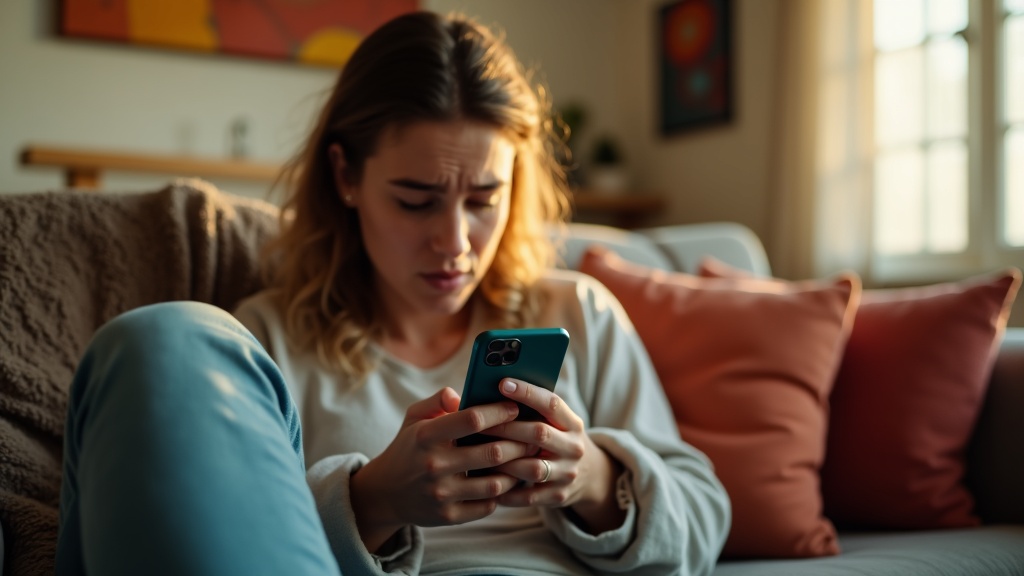
You send a text. Then another. Maybe a third one just to be sure. But nothing comes back. No reply, no reaction, just silence. And suddenly you’re wondering: did they block my number?
It’s an uncomfortable question, and the answer isn’t always clear. When someone blocks your number, your phone doesn’t announce it. There’s no alert, no bounce-back message, no friendly notification explaining what happened. Everything just goes quiet on your end.
That silence is what makes blocking so confusing. Your texts seem to send normally. You don’t get an error. From where you’re sitting, it looks like your messages went through just fine. But on the other side, the person who blocked you never sees them arrive.
The tricky part is that this same silence can happen for lots of reasons. Maybe they’re busy. Maybe their phone died. Maybe they’re just not interested in responding right now. A lack of reply doesn’t automatically mean you’ve been blocked.
So how do you tell the difference? What actually happens when someone blocks your number, and what are the real signs to look for? The truth is more nuanced than most people expect. Blocking works differently depending on your phone, your carrier, and even which app you’re using. Some signals are reliable. Others are just myths that refuse to die.
Blocking is a phone setting, not a message status
Here’s the thing most people get wrong: when someone blocks your number, you’re expecting some kind of official notice. A bounced message. An error. Something that tells you what happened.
But blocking doesn’t work that way. It’s not a message status like “delivered” or “failed.” It’s just a setting on their phone that changes what gets through.
When you’re blocked, your calls usually go straight to voicemail. Your texts get sent out normally from your phone, but they never show up on theirs. The messages don’t disappear into thin air exactly. They’re just quietly rejected or tucked away where the person will never see them.
The key part is this: your phone doesn’t know it happened. As far as your device is concerned, everything worked fine. The message left your phone successfully, so it shows up in your conversation thread like normal. No red X. No “message failed” alert. Nothing.
Now, the exact behavior depends on a few things. iPhone blocking works differently than Android blocking. Some carriers handle blocked messages one way, others handle them differently. If you’re using regular SMS versus iMessage or another messaging app, that changes things too.
But the common thread is always the same: blocking happens on the receiving end, quietly and privately. The person doing the blocking gets peace and quiet. The person being blocked usually just gets silence and confusion.
What happens when blocked on text using SMS
When you send a regular text message to someone who has blocked your number, things look surprisingly normal on your end. The message leaves your phone just like always. You’ll see it sit in your conversation thread as if it sent successfully. No error message pops up. No warning appears. Your phone has no idea the person blocked you.
That’s because standard SMS doesn’t really communicate back and forth about delivery status the way apps like WhatsApp or iMessage do. When you hit send, your phone hands the message off to your carrier, and that’s basically the end of what your phone knows about. There’s no built-in system to tell you whether the message actually reached the other person’s screen.
So what actually happens to your blocked SMS? It depends on how the recipient’s phone or carrier handles blocking, but typically the message either gets stopped before it reaches their device or arrives but gets automatically hidden in a spam or blocked messages folder. Either way, the person you texted never sees it appear in their normal messages.
From your perspective as the sender, this creates an awkward situation. You can’t tell the difference between being blocked and being ignored. Both look identical: you send texts, they seem to go through, and you hear nothing back. The silence doesn’t prove anything one way or another.
This is why people feel so much confusion and anxiety around blocked SMS. Unlike getting a busy signal or a bounce-back email, there’s simply no feedback. Your messages disappear into a void, and you’re left guessing.
How iPhone and Android blocking can look different
If you’ve ever compared notes with friends about blocking someone, you might have noticed their experience sounds nothing like yours. That’s completely normal. Blocking doesn’t work the same way on every phone.
The reason comes down to how different companies built their systems. iPhones handle blocking through Apple’s own software. Android phones depend on which messaging app you use, which company made your phone, and sometimes even your carrier’s services. All these layers can create different results.
Here’s where it gets confusing. On some iPhones, your calls might ring once before going to voicemail when you’re blocked. On others, they go straight to voicemail. Your texts might look like they delivered, or they might just sit there with no indication either way.
Android phones have even more variation. Some Samsung phones show texts as sent even when blocked. Google Pixel phones might handle it differently. If you’re using WhatsApp or another messaging app, blocking works through that app’s rules, not your phone’s built-in features.
Then there’s the data versus SMS issue. If you text an iPhone user and they’ve blocked you, your message might switch from blue to green. That’s because iMessage uses data, while regular texts use your carrier’s SMS network. But this doesn’t always mean you’re blocked. It could just mean their phone is off or they don’t have internet.
The bottom line is this: these are patterns, not guarantees. Your phone might behave completely differently from your friend’s phone, and both of you could be right about what you’re seeing.
Signs someone blocked you and signs that mean something else
When your calls suddenly start going straight to voicemail, it’s easy to think you’ve been blocked. But that’s also exactly what happens when someone turns their phone off, runs out of battery, or switches on Do Not Disturb mode. Airplane mode does the same thing. So does being in a basement with no signal.
No reply to your texts? That feels personal, but people ignore messages for dozens of reasons that have nothing to do with blocking. They might be busy, overwhelmed, or just bad at texting back. They might have seen your message at a red light and forgot to reply later. It happens constantly.
Missing those little read receipts or delivery confirmations? Before you assume the worst, remember that many people turn those features off on purpose. Some find them stressful. Others just prefer privacy. And if someone switched from an iPhone to an Android without properly turning off iMessage, your texts might look undelivered even though they’re going through fine.
The same goes for suddenly not seeing someone’s online status or last seen timestamp on messaging apps. Plenty of people disable those visibility settings because they don’t want everyone tracking their activity. It’s not about you specifically.
Here’s the thing: most signs that look like blocking can also mean a dozen other completely innocent things. A changed number, an uninstalled app, a glitchy phone update, or just someone taking a break from their screen. Without knowing for certain, jumping to the blocking conclusion can make you anxious over nothing. And please don’t keep texting or calling repeatedly to test whether you’re blocked. That won’t give you answers, and it definitely won’t help the situation.